
Wallet analytics
View your wallet analytics dashboard
The Analytics dashboard provides a high-level overview of your stored value wallet performance and user activity. It’s designed to surface key metrics and trends at a glance, letting your team monitor wallet adoption, customer engagement, and transaction volume in real-time.
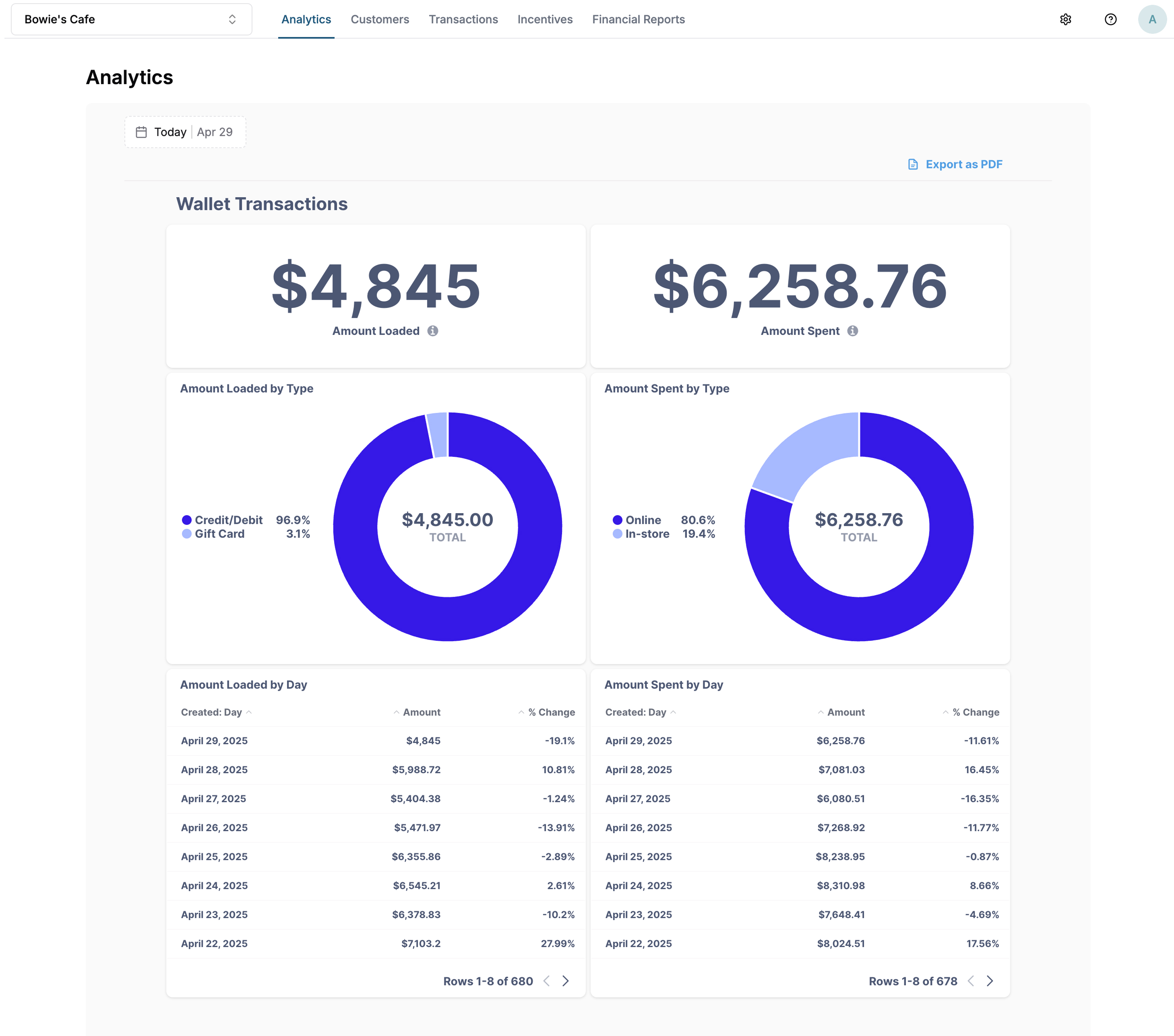
View and download data
- Navigate to the Analytics page of your merchant portal. This will be the default page that loads when you log in.
- Choose the time period for viewing metrics. By default, the dashboard shows Today. Weeks start Sundays at 12:00 AM UTC.
- Download data by hovering over a chart and clicking on the Download Results menu.
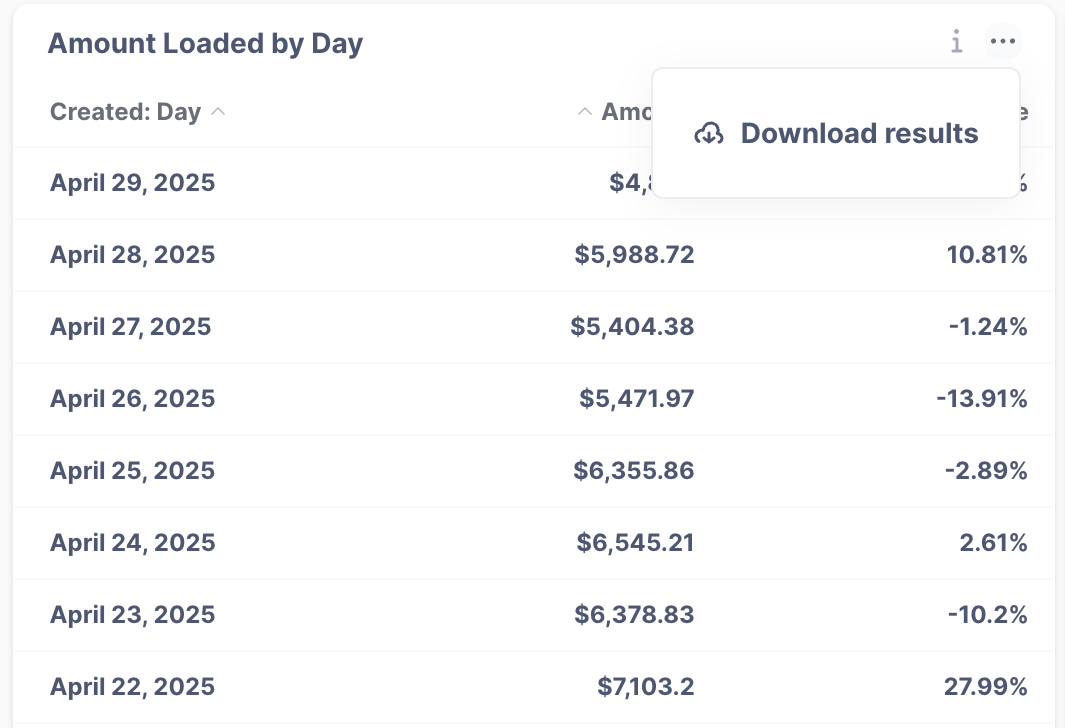
- Data updates every 30 minutes.
Wallet Transactions
| Chart | Description |
|---|---|
| Amount Loaded | Total number of wallets created by your customers. Useful for tracking adoption over time. |
| Amount Spent | Total funds spent from wallets. |
| Amount Loaded by Type | Breakdown of how users are funding wallets. Methods include: credit or debit card, gift card, ACH |
| Amount Spent by Type | Breakdown of where users are spending wallet funds. Channels include: online or in-store |
| Amount Loaded by Time Period* | Wallet load volume by time period. View change over time period by day, week, or month. |
| Amount Spent by Time Period* | Wallet spend volume by time period. View change over time period by day, week, or month. |
*Note: The current time period for Amount Loaded and Amount Spent may show a negative change, as it compares incomplete data to a previous full period.
New and Active Wallets
| Chart | Description |
|---|---|
| New Wallets | Number of new wallets created by customers. Helpful for tracking adoption over time. |
| Active Wallets | Number of wallets with at least one transaction activity during the selected time period. |
| New Wallets by Time Period* | Number of new wallets created by time period. View change over time period by day, week, or month. |
| Active Wallets by Time Period* | Number of wallets with transaction activity by time period. View change over time period by day, week, or month. |
*Note: The current time period for New Wallets and Active Wallets may show a negative change, as it compares incomplete data to a previous full period.
Updated 11 months ago
Did this page help you?